What Is Amazon SageMaker? Features, Use Cases, and When It Makes Sense
I want to start by pointing out that Amazon SageMaker has been on the market since 2017—well before the current boom of large language models and generative AI. It was originally designed for building and running custom machine-learning projects, not for consuming pre-built foundation models, which were not widely available at the time.
Now, let’s take a closer look at what SageMaker actually is, its core features, and the types of projects where it really makes sense. I will also walk you through real use cases and practical, real-world examples.
What Is Amazon SageMaker AI Used For?
SageMaker provides a wide range of features that cover different stages of the machine learning lifecycle. Overall, it is a managed AWS service for training and deploying models on managed infrastructure, abstracting most of the heavy lifting.
Companies use it as part of their ML workflows, but you don’t have to rely on it for the entire process. For example, you can train a model elsewhere and deploy it to SageMaker, or train a model in SageMaker and deploy it elsewhere.
What SageMaker solves in practice:
- Train models safely: Training runs on ephemeral compute, meaning you only pay while the training is active.
- Deployment that scales: It handles A/B testing and serverless deployments with no server management hassle.
- CI/CD for ML: It integrates git commits, pipelines, training, evaluation, model approval, and deployment.
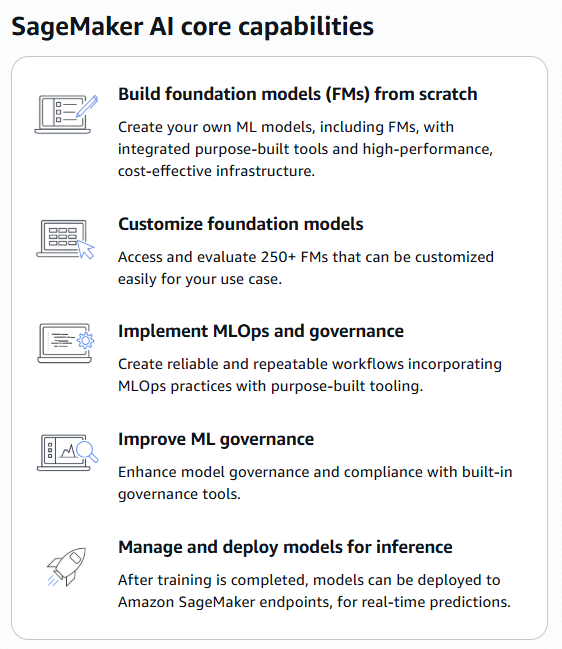
Source: AWS Management Console
Core Amazon SageMaker Features
The number of SageMaker features is still growing, but as said earlier they are always connected to ML lifecycle. The easiest way to understand all the features is to look at the current AWS SageMaker Console.
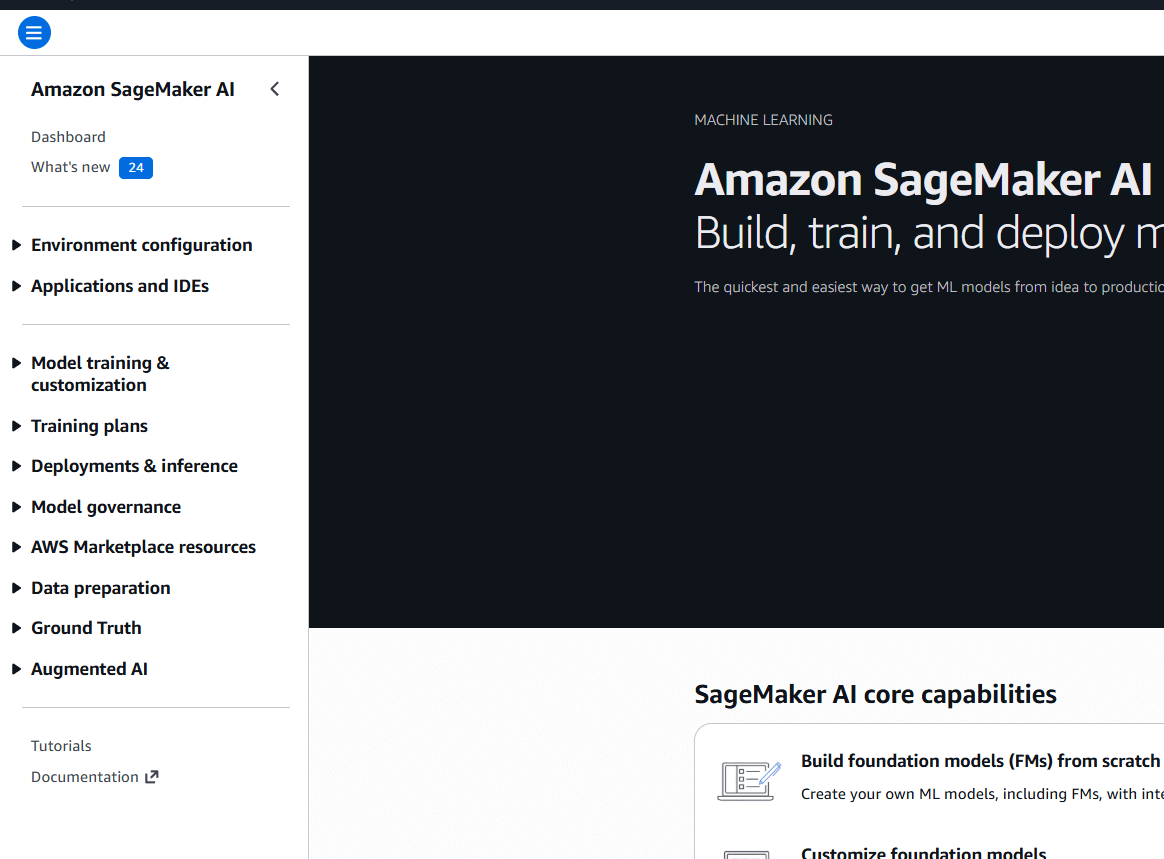
So let’s go through those majore features here and their real practical impact:
Environment & IDEs
- Getting started without the headache: Instead of spending your first two days trying to install Python libraries and configure drivers on a local server, you just log in and start coding. It’s like a pre-configured kitchen—all the tools are already there, and they actually work together.
Training & training plans
- Training & training plans doing the heavy lifting: You don't need to buy a $10,000 computer to build a model. You "rent" AWS’s massive power for an hour, do the math, and then turn it off. Training Plans just help you schedule that work so you aren't paying more than you have to.
Data prep & Ground Truth
- Fixing messy data: AI is only as good as the data you feed it. These features help you take a "messy" folder of images or text and organize it. Ground Truth is basically a way to get humans to help label things (like "this is a cat") so the AI can eventually learn to do it itself.
Deployments & inference
- Actually using the model: This is the "Go Live" button. It takes your model out of the lab and puts it into your app. If 10 people use it, it stays cheap; if 10,000 people use it, it automatically scales up so the app doesn't crash.
Governance & Augmented AI
- Keeping it responsible: This is your "check and balance." It keeps a trail of how the model was built and lets a human double-check the AI’s work if it’s not 100% sure about an answer. It prevents the "black box" problem, where nobody knows why the AI made a certain decision.
Store
- Marketplace resources: If someone else has already built a great model for recognizing license plates or translating text, you can just "buy" (or use) their work and plug it directly into your project.
Amazon SageMaker and MLOps
What MLOps really means
MLOps isn’t a product you turn on. It’s an operating model for how machine learning is built, deployed, and run in production. Tools help, but they don’t define MLOps on their own.
At its core, MLOps is about making sure that:
- models can be reliably trained and retrained,
- deployments are controlled and traceable,
- behavior in production is visible,
- and someone clearly owns the model once it’s live.
Where SageMaker fits in
SageMaker doesn’t “give you MLOps”, but it does remove a lot of the heavy lifting if you want to build it properly.
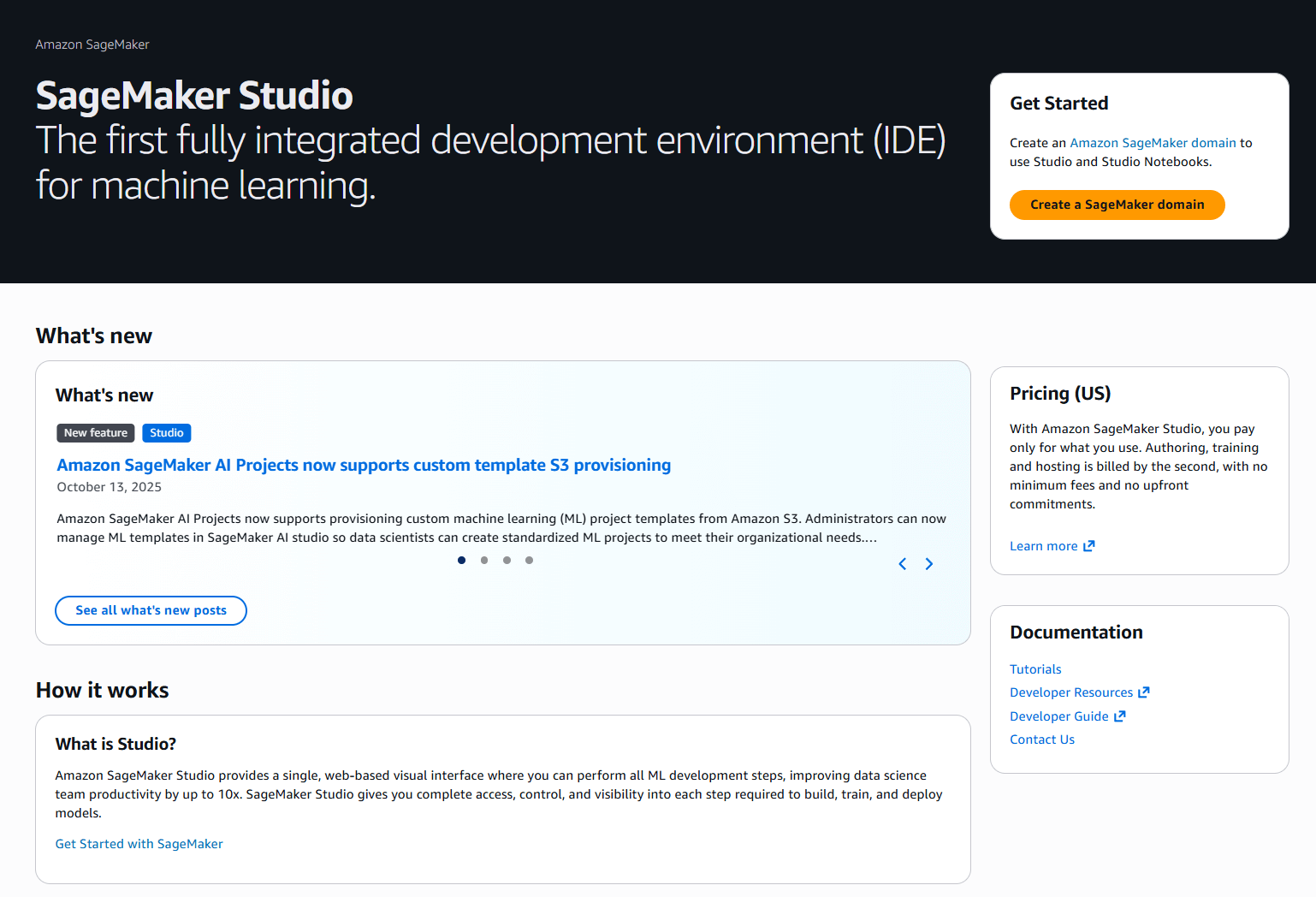
In practice:
Just don’t forget that you will first need to start your SageMaker studio and create a SageMaker domain in a selected region where you can start using some of the features.
SageMaker Pipelines: Used to define and run repeatable ML workflows (data prep, training, evaluation).
Example: Every new dataset triggers a pipeline that retrains a model and evaluates it against a baseline.
SageMaker Model Registry: Used to store model versions, metrics, and approval status.
Example: Only models marked as Approved can be deployed to production.
SageMaker Endpoints: Used to deploy models with traffic shifting and rollback.
Example: New model version gets 10% of traffic before full rollout.
SageMaker Model Monitor: Used to detect data drift and quality issues.
Example: Alert triggers when live input data no longer matches training data.
CI/CD & CloudWatch integration: Used to connect ML workflows to existing DevOps processes.
Example: Monitoring alert triggers retraining or rollback via a pipeline.
The important part people miss
Having SageMaker set up does not automatically mean you’re doing MLOps.
MLOps only works when:
- there’s a clear process for promoting and rolling back models,
- responsibilities are defined (who reacts when a model degrades),
- and ML workflows are treated like production systems, not experiments.
When SageMaker makes sense (and when it doesn’t)
I think this section will eventually move toward a comparison between Amazon SageMaker and Amazon Bedrock. The reason is simple: AWS currently offers these two services, which largely complement each other. I’ve seen projects where both services are used, as well as projects where only one is chosen. In those cases, our AI engineer had to decide which service to use and why.
There is also one thing I’ve consistently heard from AI engineers: SageMaker can be a bit of overkill at the beginning, and teams often need to grow into it. This is a valid approach, and I think it makes sense for smaller startup projects.
When it makes perfect sense to use SageMaker
SageMaker is the right choice when your competitive advantage comes from how the model is built, not just how it’s used.
- Deep customization & proprietary data: If you are training a model from scratch on sensitive data—like medical diagnostics or custom fraud detection—SageMaker provides the granular control you need.
- Scale & cost efficiency: While Bedrock is cheaper for small experiments, SageMaker becomes more cost-effective once you hit high volumes, because you pay for fixed instance time rather than variable token costs.
- Strict latency requirements: For real-time applications needing sub-50ms response times, SageMaker’s dedicated instances outperform shared serverless APIs.
- MLOps & governance: If you are in a regulated industry, you need the Model Governance to provide a full audit trail of who approved a model and why.
When it introduces unnecessary complexity
For many teams, SageMaker can be "too much tool," leading to high operational overhead and "idle server" costs.
- Rapid prototyping: If your goal is to build a chatbot or a simple RAG (Retrieval-Augmented Generation) bot in two weeks, Amazon Bedrock is superior. It requires zero infrastructure management.
- Sporadic workloads: If your app only gets used a few times a day, SageMaker’s server-based model will charge you for idle time. A serverless API is a better financial choice here.
- Small teams without ML engineers: SageMaker "rewards experience". If your team is primarily full-stack developers without deep data science expertise, the configuration of Docker containers and VPCs will likely slow you down.
Amazon SageMaker use cases
Throughout our investigations and years of experience, we’ve identified that SageMaker has its own specific use cases, which we’ve tried to describe as simply as possible. We hope you’ll find your use case here; if not, you can probably consider using Amazon Bedrock instead.
1. Own the model
Scenario: You have a secret way of processing data that no one else has. You aren't just "chatting" with an AI; you are trying to predict something specific, like "Which of these 1 million parts will break next?".
- Why SageMaker: You need to write your own Python code, choose your own math libraries, and build a model that doesn't exist in a pre-made API like Bedrock.
2. High volume savings
Scenario: Your app is incredibly popular and processes billions of words (tokens) a day.
- Why SageMaker: Bedrock's "pay-per-token" becomes a tax on your success. At massive scales, renting a "server" (SageMaker instance) for a flat monthly fee is much cheaper than paying for every individual word the AI speaks.
3. Regulatory
Scenario: You work in a bank or hospital. You can't just send data to a "black box" API. You have to prove to a regulator exactly why the AI said "No" to a loan.
- Why SageMaker: SageMaker has a feature called Clarify that generates "Explainability reports". It literally prints out a list of which factors (age, income, credit score) influenced the decision most.
4. Fast responses
Scenario: You are building a self-driving car or a high-speed sports broadcast. A 2-second delay from a cloud API is too slow.
- Why SageMaker: You can deploy models to "the edge" (like a camera or a car's computer) using SageMaker Neo, so the AI works locally without needing the internet.
FAQ
Amazon SageMaker is used to train, deploy, and operate machine-learning models in AWS without having to manage the underlying infrastructure.
SageMaker is commonly used for training custom ML models on data stored in Amazon S3 and exposing those models as real-time or batch inference services. It is also used to manage model versions, deployments, and approvals in production environments, especially in regulated or larger organizations.
SageMaker removes most of the operational burden around ML, but it comes with added complexity and cost. It works well for production workloads at scale, but it is often too heavy for small teams or simple experiments.
Databricks focuses mainly on data processing, analytics, and feature engineering, while SageMaker focuses on training, deploying, and operating machine-learning models. In practice, Databricks is often used to prepare data, and SageMaker is used to run the models.
No. OpenAI provides AI models via APIs, while SageMaker provides the platform and infrastructure to run and manage models. They operate at different layers and are often used together rather than as alternatives.
Conclusion: Is Amazon SageMaker the right choice for your team?
From our AI engineer’s point of view, SageMaker is not a “default” choice.
If your project depends on how the model is built, trained, validated, and governed, SageMaker is one of the strongest platforms the market offers. It shines when models are core to the business, when data is proprietary or sensitive, and when you need full control over training, deployment, and lifecycle management.
That said, SageMaker is not where I’d start every project.
For early-stage experimentation, internal tools, chatbots, or RAG-style applications, it’s usually smarter to begin with Amazon Bedrock or other managed APIs. You’ll move faster, write less infrastructure code, and avoid operational overhead that simply doesn’t pay off yet. Many teams make the mistake of “over-engineering” ML from day one.

An AWS Solutions Architect with over 5 years of experience in designing, assessing, and optimizing AWS cloud architectures. At Stormit, he supports customers across the full cloud lifecycle — from pre-sales consulting and solution design to AWS funding programs such as AWS Activate, Proof of Concept (PoC), and the Migration Acceleration Program (MAP).

Get to know AWS.
Subscribe to our newsletter.