API Gateway Security: How to Secure Your APIs with Best Practices
API Gateway security is critical to protecting your applications from unauthorized access, data leaks, and misconfigurations. This guide explains how to secure your APIs on AWS using proven configurations, and security best practices you can apply right away.
Exposing APIs without the right security controls is one of the easiest ways to leave your application vulnerable. As more teams move to microservices, serverless functions, and external API integrations, the attack surface keeps growing. Malicious traffic, credential stuffing, abuse of rate limits, and data leaks are no longer rare, they are expected.
That is why API Gateway security matters. Whether you are building a public-facing API or connecting internal services, unprotected endpoints can lead to serious damage such as unauthorized access, billing spikes, compliance violations, and loss of user trust.
The need for security goes far beyond setting up basic authentication. Today’s attackers often target misconfigured or overlooked defaults. Even well-architected environments can be exposed if access controls, usage policies, and monitoring are not in place.
This guide breaks down what API Gateway security actually involves, why relying on general cloud security principles is not enough, and what steps you can take to protect your APIs, especially when using Amazon API Gateway.
Understanding API Gateway Security
API Gateway security refers to the set of controls and configurations used to protect your APIs from unauthorized access, abuse, or misconfiguration. An API Gateway acts as the entry point between your clients and backend services. It processes requests, applies security rules, and forwards only the allowed traffic. If not configured properly, it can expose your entire application to serious risks.
Securing an API Gateway is not just about blocking unwanted traffic. It involves managing access, controlling usage, and monitoring behavior to prevent misuse. This includes deciding who can call your APIs, how often they can call them, what kind of data they can send, and how any unusual activity is detected.
In Amazon API Gateway, security typically includes settings like authentication, request throttling, resource policies, and logging. These features are designed to reduce the risk of attacks such as data leaks, brute-force attempts, or backend overload.
Without these controls in place, even a functional API can become a weak point in your infrastructure. Amazon API Gateway security is not optional, it is a core part of protecting your application, your users, and your cloud resources.
Common Threats to API Gateways
Even when APIs work as expected, the gateway in front of them can expose serious vulnerabilities if not secured properly. Here are some of the most common threats faced by API Gateways, especially in public or high-traffic environments:
.png)
1. Unauthorized Access
When authentication or authorization rules are weak or misconfigured, attackers can access endpoints they should not. This is one of the most critical security failures and often goes undetected until data is exposed or misused.
2. Credential Stuffing and Token Abuse
Attackers often test stolen credentials or abuse leaked tokens against API endpoints. If rate limits and monitoring are not in place, this kind of automated abuse can lead to account compromise or privilege escalation.
3. Excessive Request Volume
Without throttling, a single client or bot can flood your API with requests. This can overwhelm backend services, increase billing unexpectedly, or cause service degradation for real users.
4. Injection and Payload Manipulation
APIs that pass input directly to backend services without validation are vulnerable to injection attacks. This can include SQL injection, header manipulation, or sending malformed JSON to trigger backend errors.
5. Lack of Encryption or Data Exposure
APIs that are not served over HTTPS, or that expose sensitive data in query strings or headers, can leak information during transmission. This is especially risky in mobile or third-party integrations.
API Gateway Security Best Practices
Securing your API Gateway is not about ticking a box. It is about building a layered defense that protects your APIs without adding unnecessary friction. These practices help ensure your APIs stay available, protected, and predictable under real-world usage.
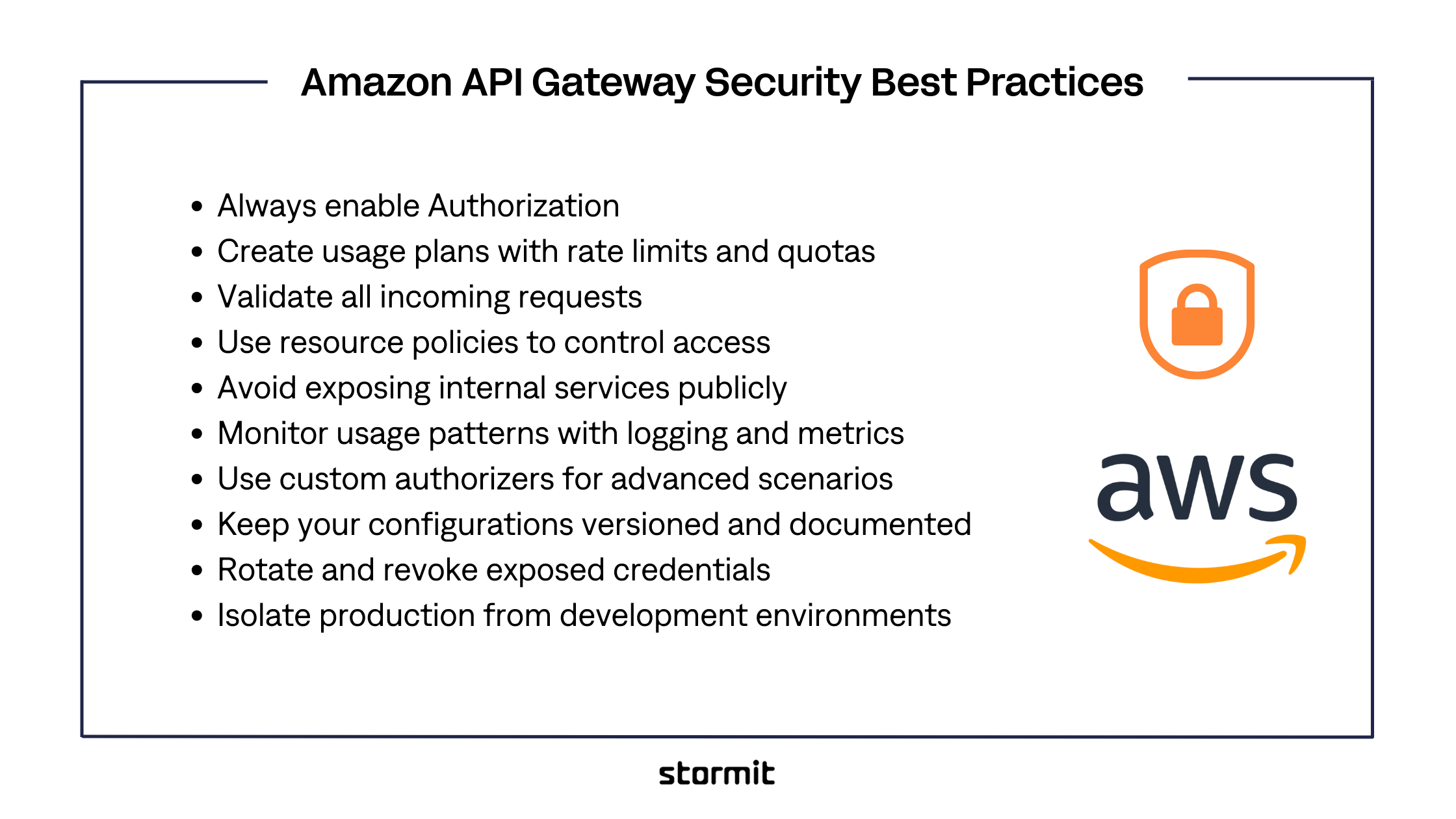
1. Always enable Authorization
Every endpoint should be protected with authentication. If possible, use IAM roles, Amazon Cognito, or third-party identity providers to verify users before they reach your backend. Add authorization rules to control what each user is allowed to access based on their role or identity.
2. Create usage plans with rate limits and quotas
Define how many requests a client can make within a given time period. Use usage plans to apply throttling and quotas that prevent abuse and protect your backend from overload. This also helps control cost by limiting excessive traffic.
Here are links for useful AWS documentation about Amazon API Gateway throttling:
- Throttle requests to your REST APIs for better throughput in API Gateway
- Throttle requests to your HTTP APIs for better throughput in API Gateway
- Use AWS WAF to protect your REST APIs in API Gateway
3. Validate all incoming requests
Use request validation to ensure clients send only what your API expects. Enforce request formats, required fields, and data types. This reduces the risk of injection attacks and simplifies debugging by catching bad inputs early.
4. Use resource policies to control access
Restrict access to your APIs based on source IP addresses, AWS accounts, or VPC endpoints. Resource policies help you limit exposure and ensure only trusted sources can reach specific APIs.
5. Avoid exposing internal services publicly
If an API is only meant for internal use, configure it as private. Use VPC links or internal endpoints instead of open internet access. This helps protect internal systems from unintended exposure.
6. Monitor usage patterns with logging and metrics
Enable logging for each stage of your API lifecycle. Use CloudWatch logs and metrics to track access patterns, monitor errors, and detect anomalies. This helps you respond quickly to unexpected behavior.
7. Use custom authorizers for advanced scenarios
If built-in authentication methods are not flexible enough, implement custom Lambda authorizers. These allow you to apply complex logic such as token validation, IP checks, or per-user permissions before the request proceeds.
8. Keep your configurations versioned and documented
Maintain clear documentation of your security settings, including rate limits, policies, and authorizers. Use version control systems to track changes. This makes it easier to audit, troubleshoot, and onboard new team members.
9. Rotate and revoke exposed credentials
If you use API keys or tokens for access control, make sure to rotate them regularly. In the event of accidental exposure, revoke the key immediately and issue a new one. Set expiration dates where possible and avoid reusing keys across environments. Credential hygiene is critical to preventing unauthorized access.
10. Isolate production from development environments
Never use the same API Gateway configuration across dev, staging, and production. Set up separate stages with environment-specific limits, logging, and access controls. This prevents test traffic or misconfigured endpoints from affecting production workloads. It also reduces the blast radius of errors or security gaps introduced during development.
Amazon API Gateway Security: Hands-On Tips
Beyond general best practices, some security measures require hands-on configuration inside your AWS environment. These tips focus on features specific to Amazon API Gateway that can help you tighten control and reduce exposure.
1. Use AWS WAF for additional protection
Attach AWS Web Application Firewall to your API Gateway to block malicious traffic. Create custom rules to filter based on IP addresses, request patterns, or geographic origin. WAF helps stop common threats like SQL injection and bots before they reach your backend.
2. Store secrets securely with AWS Secrets Manager
Never hard code API keys or access tokens in your backend logic. Use AWS Secrets Manager to store and manage sensitive credentials. When used with Lambda, you can fetch secrets securely at runtime without exposing them in your codebase.
3. Enable mutual TLS for sensitive APIs
If you are managing private or internal APIs, enable mutual TLS to require client-side certificates. This adds an extra layer of authentication by verifying both the client and the server before any data exchange happens.
4. Configure CORS precisely, not loosely
Cross-Origin Resource Sharing (CORS) should be as strict as your application allows. Define only the allowed origins, headers, and methods. Overly permissive CORS settings can unintentionally expose APIs to unauthorized front-end applications.
Common Mistakes to Avoid
Even with the right tools available, small missteps in configuration can expose your APIs to unnecessary risk. Here are some common mistakes to watch for when securing API Gateway.
- Leaving endpoints public when they are meant for internal use
- Relying only on API keys without enforcing user authentication
- Using overly permissive CORS settings that allow access from any origin
- Forgetting to set usage plans and rate limits for client applications
- Skipping request validation, allowing bad or unexpected data through
- Not enabling logging, which makes it harder to trace issues or monitor abuse
- Hardcoding secrets in Lambda functions or backend code
- Applying the same security settings across all environments without stage-level separation
These mistakes are common because they seem small at first, but each one can lead to serious security and cost problems if ignored.
FAQs
Start by enabling authentication, setting rate limits, validating requests, and restricting access with resource policies. Use logging and monitoring to track usage and detect issues early.
Protect all endpoints with authentication, enforce throttling, validate input data, limit public exposure, and monitor activity regularly. Use tools like AWS WAF and Secrets Manager where needed.
While API Gateway includes basic throttling and request limits, it should be used with AWS Shield and AWS WAF for stronger DDoS protection. These services help detect and block large-scale attack patterns.
AWS API Gateway supports multiple authentication methods including IAM roles, Amazon Cognito user pools, Lambda authorizers, and API keys. You can choose the method that best fits your use case to control who can access your API and under what conditions.
Conclusion
Securing your APIs is not something you can put off or solve later. Whether you are just starting with API Gateway or scaling an existing service, taking security seriously means fewer vulnerabilities, less risk, and more trust from your users and partners.
Poorly configured APIs are one of the most common causes of cloud security incidents. And in most cases, the issues are preventable with the right guardrails, usage controls, and review processes in place. A secure API Gateway not only protects your backend services but also improves reliability, cost control, and compliance.
If you are unsure where to start or want a second opinion on your setup, Stormit can help.
Our team works closely with growing teams to review API configurations, identify weak spots, and apply practical security improvements tailored to your use case. Book a free consultation to get expert guidance and move forward with confidence.

With extensive experience as a developer, Roman specializes in serverless technologies and containers. His AWS expertise extends to backend and frontend development, where he excels in designing and implementing scalable solutions that leverage cloud services efficiently. Roman also demonstrates a deep understanding of infrastructure as code (IaC), employing tools and practices to automate and manage infrastructure effectively.